

Small Practice EMR Systems That Actually Fit Your Budget

Why Small Practices Struggle with EMR Adoption
EMR systems for small practices should reduce administrative burden and improve patient care—but too often, they turn into a costly, frustrating obstacle. For the independent physician, the promise of digital health has frequently been overshadowed by the reality of “death by a thousand clicks.” According to recent research, physicians spend twice as much time navigating template-heavy systems as they do with patients. That’s not efficiency. That’s burnout. In a small practice environment, where the physician is often the CEO, the lead clinician, and the HR manager all at once, every minute lost to a clunky interface is a minute stolen from patient care or personal well-being.
The landscape of Electronic Medical Records (EMR) and Electronic Health Records (EHR) has shifted dramatically since the HITECH Act of 2009. While large hospital systems were forced into massive, multi-million dollar installations of Epic or Cerner, small practices were often left with “lite” versions of these enterprise tools that didn’t actually fit their workflows. In 2026, the market has finally corrected itself, offering specialized, agile solutions designed specifically for the 1-10 provider group.
Here are the top EMR systems for small practices in 2026:
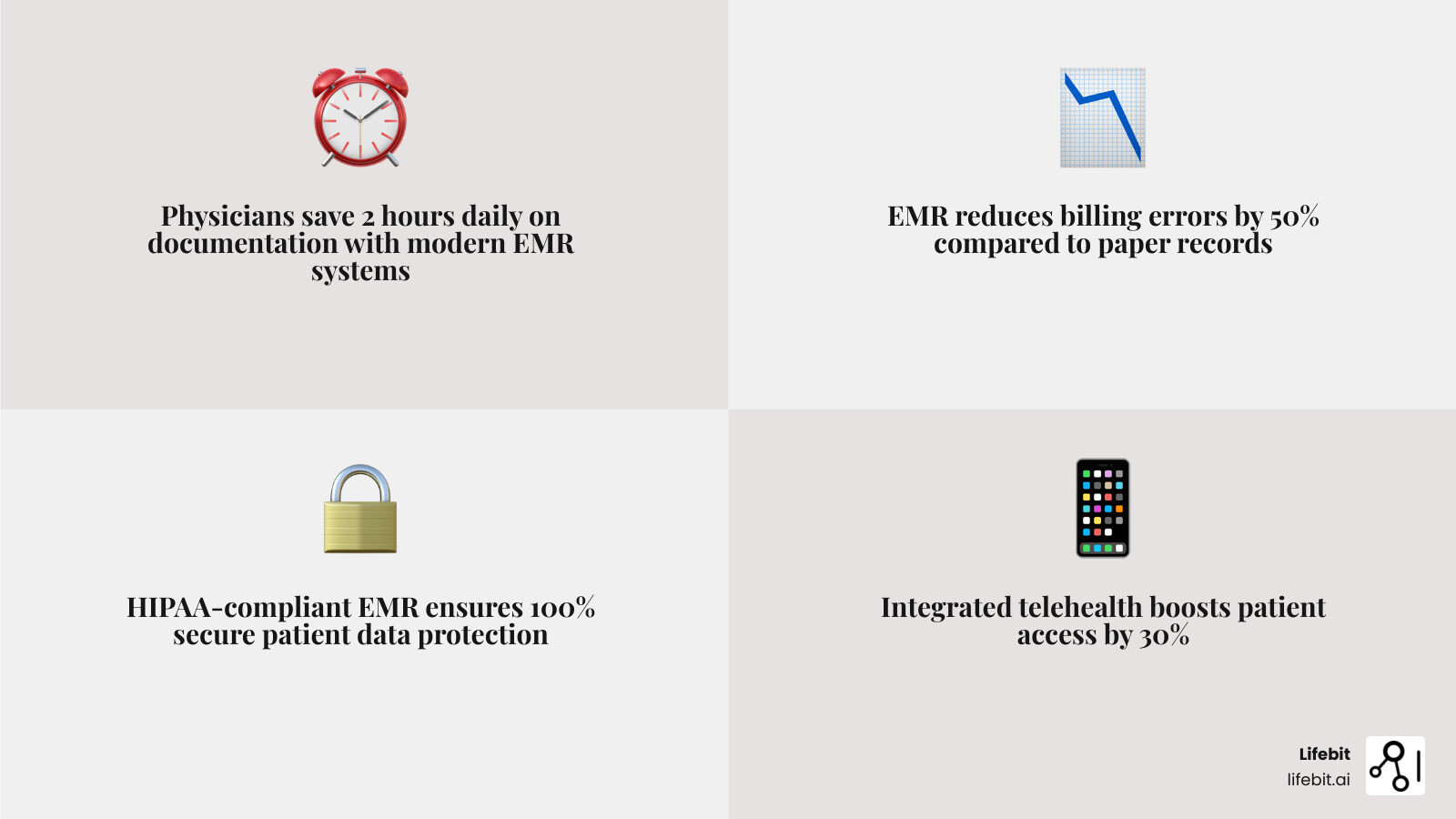
- Elation Health — Best in KLAS for small practices (1-10 physicians). Its “clinical-first” philosophy prioritizes the physician-patient relationship, and its new AI-powered scribe reduces documentation by up to 2 hours per day by listening to the encounter and drafting the note in real-time.
- DrChrono — Top mobile EHR for 10 years running. It is the gold standard for iPad-based workflows, allowing providers to move freely between exam rooms without being tethered to a laptop or workstation.
- SimplePractice — Starting at $29/month, this is the premier choice for solo mental health providers and wellness professionals who need a minimalist, HIPAA-compliant platform that handles scheduling and billing with zero fuss.
- Tebra (formerly Kareo) — Best in KLAS 2021. Tebra is a powerhouse for insurance-heavy practices, offering some of the most robust billing and practice management integrations available for the small-to-midsize market.
- Practice Fusion — A reliable, low-cost option starting at $199/month. While it moved away from its famous “free” model, it remains one of the most intuitive web-based systems for practices that need to get up and running in days, not months.
- AdvancedMD — Known for delivering a full ROI in as little as 14 months, this system is best for growing practices with complex billing needs and a desire for deep data analytics.
Key considerations when choosing an EMR:
- Cloud-based vs. on-premise: Web-based systems (SaaS) are now the industry standard, starting at ~$100/month per physician. Local systems are becoming obsolete due to high upfront costs ($2,000–$20,000) and the burden of maintaining physical servers.
- HIPAA compliance: This is the non-negotiable baseline. Any system you choose must offer end-to-end encryption, audit logs, and a Business Associate Agreement (BAA).
- Telehealth integration: In the post-pandemic era, virtual care is a requirement. Look for native integration rather than third-party plugins to ensure a seamless patient experience.
- Billing features: Native billing tools reduce claim errors and speed payments. Look for “claim scrubbing” features that catch errors before they are submitted to payers.
- Ease of use: A simple interface reduces training time for new staff and minimizes the number of clicks required to complete a standard SOAP note.
The challenge isn’t just finding an EMR—it’s finding one that fits your budget, specialty, and workflow without forcing you into a one-size-fits-all template system. Small practices need systems that scale with growth, integrate with existing tools, and don’t require a full-time IT staff to maintain.
I’m Dr. Maria Chatzou Dunford, CEO of Lifebit, with over 15 years of experience in computational biology, AI, and health-tech entrepreneurship. While my work focuses on federated genomic data platforms, I’ve seen how poor data infrastructure—including rigid EMR systems for small practices—blocks innovation and wastes clinician time. This guide will help you cut through the noise and choose a system that actually works for your practice size and budget.
Why Your Current Charting is Killing Your Small Practice
If you are still wrestling with paper charts or a legacy system that feels like it was designed for a 500-bed hospital, your practice is leaking revenue. For many independent providers, the “paperless office” has felt like a dream that is always three years away. However, the impact of EMRs on care quality and safety is now undeniable. Beyond just safety, the financial cost of staying analog is staggering.
Moving to modern Electronic Medical Record Systems isn’t just about going digital; it’s about survival. Small practices face unique challenges: staff wear multiple hats, margins are razor-thin, and time is the most precious resource. When you spend hours searching for a physical file or re-keying data for a bill, you aren’t just losing time—you’re increasing the risk of clinical errors and billing denials.
Consider the “Cost of Inaction.” A practice seeing 20 patients a day that loses just 5 minutes per patient to inefficient charting is losing over 1.5 hours of billable time daily. Over a year, that equates to hundreds of hours that could have been spent on complex cases or increasing patient volume. Furthermore, paper-based systems are prone to “revenue leakage”—services provided but never billed because the encounter form was misplaced or the coding was illegible.
Modern emr systems for small practices solve this by:
- Improving Patient Care: Having a complete digital picture of a patient’s history allows for better-informed clinical decisions. This includes instant access to lab results, medication lists, and historical vitals, which reduces the risk of adverse drug events.
- Boosting Efficiency: Automating tasks like scheduling, automated appointment reminders, and digital intake forms frees up your front-desk staff to focus on patient experience rather than data entry.
- Enhancing Billing Accuracy: Systems like OptiMantra have helped clinics see an average 37% increase in revenue in their first year by reducing documentation errors and ensuring that every procedure is captured and coded correctly according to the latest ICD-10 and CPT standards.
- Data Portability: Modern systems allow you to share records instantly with specialists or hospitals, ensuring continuity of care that paper charts simply cannot provide.
Essential Features of EMR Systems for Small Practices
Don’t get distracted by “feature bloat.” Enterprise systems like Epic or Oracle Cerner are built for massive scale, but for a solo provider or a 5-physician group, they are often too rigid and expensive. When evaluating emr systems for small practices, we recommend focusing on these non-negotiables that directly impact your daily life:
1. HIPAA-Compliant Security and Data Governance
Security is the foundation of any digital practice. Hackers actively target small practices because they often have weaker defenses than large hospitals, viewing them as “soft targets” for ransomware. A HIPAA-Compliant EMR ensures that patient data is encrypted both at rest and in transit. Beyond encryption, look for systems that offer automated backups and multi-factor authentication (MFA). In the event of a hardware failure or a cyberattack, your ability to restore your practice data in minutes rather than weeks is the difference between staying in business and closing your doors.
2. AI Scribes and Smart Charting
The “game of how many clicks until you lose your mind” is real. The most significant advancement in EMR technology in the last two years is the integration of Ambient AI Scribes. These tools use Natural Language Processing (NLP) to listen to the conversation between the doctor and the patient, filtering out small talk and automatically generating a structured SOAP note. For example, Elation Health’s AI scribe can reduce after-hours documentation by up to two hours a day. Some systems, like Praxis EMR, use template-free AI that learns your specific clinical style over time, saving users 2-3 hours daily on charting by predicting your next move based on past behavior.
3. Telehealth and Integrated Patient Portals
In 2026, virtual care is no longer a “nice-to-have”; it is standard. Your EMR should include high-quality video and audio improvements (like those Greenway Health added via AWS integration) and pre-call tests to ensure a smooth patient experience. A robust patient portal is equally important. It should allow patients to view their own lab results, request prescription refills, and message the office securely. This reduces the volume of phone calls your staff must handle and empowers patients to take an active role in their care.
4. Customizable Templates and Specialty-Specific Workflows
Whether you specialize in mental health, aesthetics, or primary care, your EMR should adapt to you—not the other way around. Look for “single-window” charting that minimizes clicking and keeps your focus on the patient. If you are a pediatrician, you need growth charts and immunization tracking; if you are a physical therapist, you need functional movement assessments. Avoid any system that forces you to use a generic template that doesn’t reflect your specialty’s unique requirements.
5. Interoperability and Lab Integration
Your EMR should not be an island. It must be able to communicate with local labs (like Quest or Labcorp) and pharmacies (via e-prescribing). Under the 21st Century Cures Act, “information blocking” is prohibited, meaning your system must be able to share data easily with other providers. Look for systems that support FHIR (Fast Healthcare Interoperability Resources) standards to ensure you can participate in the broader healthcare ecosystem without technical hurdles.
Top-Rated EMR Systems for Small Practices: 2026 Roundup
Finding the Best Electronic Medical Records Companies requires looking at user satisfaction, long-term viability, and specific practice needs. Below is a detailed breakdown of the current market leaders.
| Vendor | KLAS Rating / Reviews | Best For | Pricing Model |
|---|---|---|---|
| Elation Health | Best in KLAS 2025 | Independent Primary Care | Quote-based (~$300/mo) |
| Tebra (Kareo) | Best in KLAS 2021 | Billing-heavy practices | Quote-based |
| DrChrono | 10x Top Mobile EHR | Mobile/iPad users | Starts ~$199/mo |
| SimplePractice | 4.6/5 (Capterra) | Solo Mental Health | Starts $29/mo |
| OptiMantra | 5/5 (G2) | Wellness/Specialty | Quote-based |
| Practice Fusion | 3.7/5 (Capterra) | Budget-conscious clinics | Starts $199/mo |
Best EMR Systems for Small Practices with 1-10 Physicians
For groups of 1-10 physicians, Elation Health is currently the gold standard. Named Best in KLAS for Small Practice Ambulatory EHR/PM in 2025, it focuses on a “clinical-first” design. It’s built to support the relationship between the physician and the patient rather than just serving as a billing database. Its interface is remarkably clean, reducing cognitive load.
Tebra (formerly Kareo) is another powerhouse here, especially if you need a platform that scales clinical and practice management features seamlessly. Tebra excels in its “all-in-one” approach, combining the clinical EMR with powerful marketing tools to help small practices find new patients and manage their online reputation.
Best Mobile-First EMR Systems for Small Practices
If you prefer to chart on the go or use an iPad in the exam room, DrChrono is the undisputed leader. It has been named the top mobile EHR by Black Book for ten years running. With a recent $12 million investment in telehealth expansion, it allows small practices to provide remote care through an intuitive, app-based interface that feels like a modern smartphone app rather than a clunky Windows 95 program. Its customizable medical forms and drawing tools make it a favorite for specialists like dermatologists and plastic surgeons who need to annotate images directly in the chart.
Best Low-Cost EMR Systems for Small Practices
For solo providers or micro-clinics, SimplePractice offers an incredibly low barrier to entry, starting at just $29/month. It’s a favorite for mental health professionals who need a minimalist, all-in-one system that includes paperless intakes, a client portal, and integrated credit card processing.
Practice Fusion is another viable option, though it has transitioned from a free model to a paid subscription starting at $199/month per provider. It remains a solid choice for those needing basic functionality without the enterprise price tag. It is entirely web-based, meaning you can access your charts from any computer with an internet connection, making it ideal for providers who work across multiple locations.
The Real Cost of Implementation: Cloud vs. On-Premise
One of the biggest mistakes small practices make is underestimating the “hidden” costs of EMR adoption. Our EHRs Complete Guide breaks down the two main architectures and their financial implications over a 5-year period.
- Cloud-Based (SaaS): These are web-based systems. You pay a monthly subscription (typically $100–$500 per provider). There is no hardware to maintain, and the vendor handles security updates, backups, and server maintenance. This is the preferred choice for 99% of small practices today because it shifts the cost from a large capital expenditure (CapEx) to a predictable operating expense (OpEx).
- On-Premise: You buy the software license upfront ($2,000–$20,000). However, you are responsible for the physical servers in your office, local network security, manual backups, and hiring IT support. You’ll also typically pay a 20-30% annual maintenance fee for software updates. For a small practice, the risk of a server failing or a pipe bursting in the server room is a business-ending event.
The ROI Reality: While the initial investment can be scary, most AdvancedMD users see a full return on investment (ROI) within 14 months. This ROI comes from three areas:
- Reduced Overhead: Less need for physical storage space and fewer administrative staff hours spent on filing.
- Improved Coding: Automated suggestions for higher-level E/M codes based on documentation.
- Decreased Denials: Real-time eligibility checks ensure the patient’s insurance is active before they even see the doctor.
Don’t forget to factor in the “Productivity Dip.” During the first 30 days of implementation, most practices see 10-20% fewer patients as they learn the new system. Budgeting for this temporary dip is crucial for maintaining cash flow.
Overcoming Implementation Problems and Data Silos
The transition from paper to digital (or from one EMR to another) is notoriously stressful. However, with a structured approach, you can avoid the most common pitfalls. Common challenges include:
- Data Migration: Moving years of patient history into a new system is the #1 headache. Many vendors offer “data imports,” but these often only include basic demographics. You must decide whether to manually enter the last two years of clinical notes or keep your old system as a read-only archive.
- Staff Training: Ensuring your team is comfortable with the software before you go live is essential. We recommend a “Super User” approach: pick one tech-savvy staff member to master the system first so they can support others.
- Interoperability: Getting your EMR to talk to labs, pharmacies, and other hospitals. Harmonizing Disparate Electronic Health Records is essential for a connected practice.
A 5-Step Implementation Roadmap:
- Step 1: Workflow Audit. Map out how a patient moves through your office today. Don’t digitize a broken process; fix the process first.
- Step 2: Vendor Selection. Demo at least three systems. Ask specifically about their support hours and whether they charge for data exports.
- Step 3: Hardware Check. Ensure your Wi-Fi is strong enough for a cloud-based system and that your tablets or laptops meet the vendor’s specs.
- Step 4: Phased Rollout. Start with one provider or one type of appointment. Don’t try to use every feature (like the patient portal) on day one.
- Step 5: Optimization. After 90 days, meet with the vendor to learn advanced features and shortcuts you were too overwhelmed to learn during week one.
Frequently Asked Questions about EMRs
How much does an EMR cost for a solo provider?
For a solo provider, a cloud-based EMR typically costs between $100 and $300 per month. If you include integrated billing, credit card processing, and telehealth, expect to pay on the higher end of that range ($400-$600). Some specialized tools like MDToolbox start as low as $28/month if you only need e-prescribing capabilities.
Are there free EMR options for small clinics?
Yes, there are free options like the basic plan of CharmHealth or open-source systems like Bahmni (ideal for rural or global health settings). However, be cautious: “free” systems often lack live customer support, have limited features, or charge heavily for “add-ons” like e-prescribing, HIPAA-compliant storage, or lab integrations. In the long run, a paid system often has a lower total cost of ownership due to better efficiency.
How do EMRs improve billing accuracy?
EMRs reduce “human error” by using built-in coding support. They ensure that every encounter is documented with the correct ICD-10 and CPT codes, which are then scrubbed for errors before being submitted to insurance. This leads to fewer denials and faster payments. Many systems also offer “real-time eligibility,” which tells you exactly what the patient owes in co-pays before they leave the office.
Who owns the data in my EMR?
Legally, the patient owns the information, and the provider is the steward of the record. However, your contract with the EMR vendor should explicitly state that you own the data and can export it in a usable format (like CSV or XML) if you decide to leave the platform. Beware of “data hostage” clauses where vendors charge exorbitant fees to give you your own records.
Can I use an EMR on my phone?
Most modern EMRs like DrChrono and Elation have dedicated mobile apps. While you might not want to do full charting on a small screen, these apps are excellent for checking your schedule, responding to urgent patient messages, or reviewing lab results while away from the office.
Is an EMR required by law?
While there is no federal law that says a private practice must use an EMR, the Medicare Access and CHIP Reauthorization Act (MACRA) and the Merit-based Incentive Payment System (MIPS) create significant financial penalties for providers who do not demonstrate “meaningful use” of certified EHR technology. Essentially, if you see Medicare/Medicaid patients, an EMR is financially mandatory.
Conclusion: Future-Proofing Your Practice Data
Choosing the right emr systems for small practices is the first step toward building a data-driven clinic. As healthcare moves toward a more connected future, the ability to manage your patient data securely and efficiently will be your greatest competitive advantage. The transition may be challenging, but the rewards—reduced burnout, increased revenue, and better patient outcomes—are well worth the effort.
At Lifebit, we believe that health data should be a bridge, not a barrier. While we specialize in federated AI and large-scale biomedical research platforms for biopharma and public health agencies, the principles of secure, real-time data governance apply to every level of healthcare. Whether you are a solo practitioner or a large research institution, the goal is the same: to turn raw data into actionable clinical insights. By selecting a modern, compliant EMR today, you aren’t just fixing your current workflow—you’re preparing your practice to participate in the next generation of clinical insights and AI-driven care.
Launch your secure data platform today and find how we power the future of compliant, global health research.